- From the File menu, select New.
- In the Pandora toolbar, click the New icon:

- Left/right margins = 1 in.
- Top/bottom margins = 1.5 in.
- Select Center StepRepeat on substrate
- Grain = short
- Units = inches
- Select Round to nearest, with
0.004 in.and rounding = Up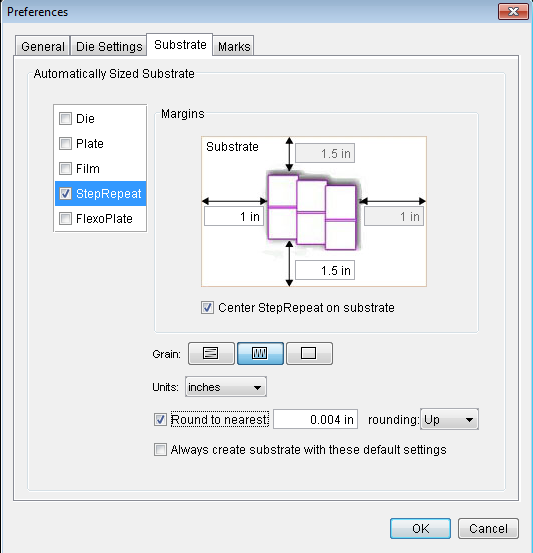
 .
. .
.Hungry Cat Label artwork and drag both files to the Content tab:Hungry Cat Label 1 Front.pdfHungry Cat Label 1 Back.pdf
Hungry Cat Label 1 Front.pdf to the layout window.Select the StepRepeat tool  and click and hold on to the artwork that you just placed in the layout window. Drag the artwork to create a Step and Repeat that is 2 across and 5 high.
When the Create Substrate dialog box appears, click Yes.
 .
. The layout view now displays the back side of the artwork.
 , and note that all the horizontal and vertical bleeds are selected.
Both sides will be resolved at the same time.
 , select the grid for the Step and Repeat that was created.
Hungry Cat Label 1 Back.pdf artwork to the layout.This will automatically snap the back side artwork to the Step and Repeat.
CB_6-color_2-tier.pdf- SGL_Sideguide_Wedge.pdf
SGR_Sideguide_Wedge.pdf
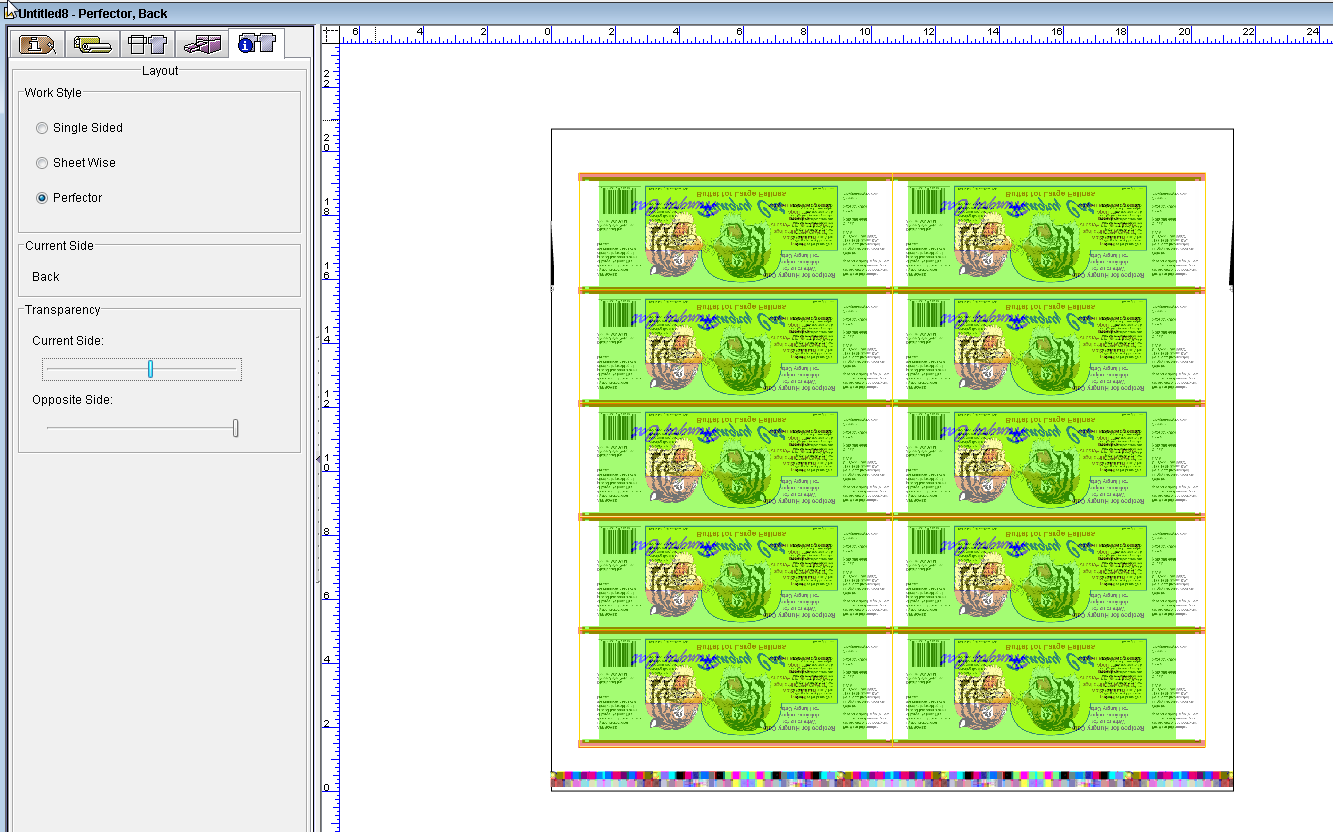
Activity Six Perfector as the file name.